Before AI image generation, creating an image required photography, graphic design software, stock-image subscriptions, or a professional designer. Today, you can describe an idea for an image in a few sentences, and an AI will generate a realistic image.
But there is a tweak: not every AI performs well in the field of image generation. The best AI tools for turning text into images can transform a simple written description into a detailed image within seconds.
Some tools are excellent at realistic photos. Others are better at artistic illustrations. Some are particularly useful when an image needs readable text, while others provide stronger controls for professional design workflows.
So instead of simply listing popular AI image generators, I wanted to compare them based on practical use cases.
For this comparison, I looked at ChatGPT Images, Midjourney, Google Gemini, Adobe Firefly, Ideogram, and FLUX. I used the same types of prompts to see how different tools handle photos, creative illustrations, text inside images, marketing graphics, and prompt accuracy.
The goal isn’t to declare one single winner. AI image models change frequently, and the best tool depends heavily on what you are trying to achieve.
How I Tested Best AI Tools for Turning Text Into Images
To make the comparison more justified, I used several common scenarios instead of judging the tools from a single image.
The test categories were:
- Photorealistic image
- Blog featured image
- Marketing graphic with text
- Creative illustration
- Product-style image
- Detailed scene following a complex prompt
I also looked at five factors:
- Image quality
- Prompt accuracy
- Text rendering
- Consistency
- Practical usefulness
For example, a beautiful image isn’t necessarily useful if the generator completely ignores the requested characteristics. Likewise, an impressive marketing image isn’t very helpful if the headline contains misspelled words or a mismatched idea.
This is particularly important for bloggers, marketers, website owners, and small businesses. They usually don’t need an image that simply looks impressive. They need an image that fits a specific purpose according to requirements.
The AI Image Generators I Tested
The tools examined in this comparison include:
- ChatGPT Images
- Midjourney
- Google Gemini
- Adobe Firefly
- Ideogram
- FLUX
These tools take different approaches to generating images. Midjourney, for example, provides extensive controls for image prompts, aspect ratios, stylization, references, and personalization. Its current V8.2 release focuses on aesthetics, image quality, and personalization.
Adobe Firefly is positioned more directly around creative production and integrates image generation with editing, reference images, styles, and other Adobe workflows.
Ideogram has placed particular emphasis on text inside images, with its documentation identifying Ideogram 4.0 as its highest-quality model and highlighting text rendering. That makes the comparison more interesting because each tool has different strengths and working mechanisms.
Test 1: Photorealistic Image
Test prompt
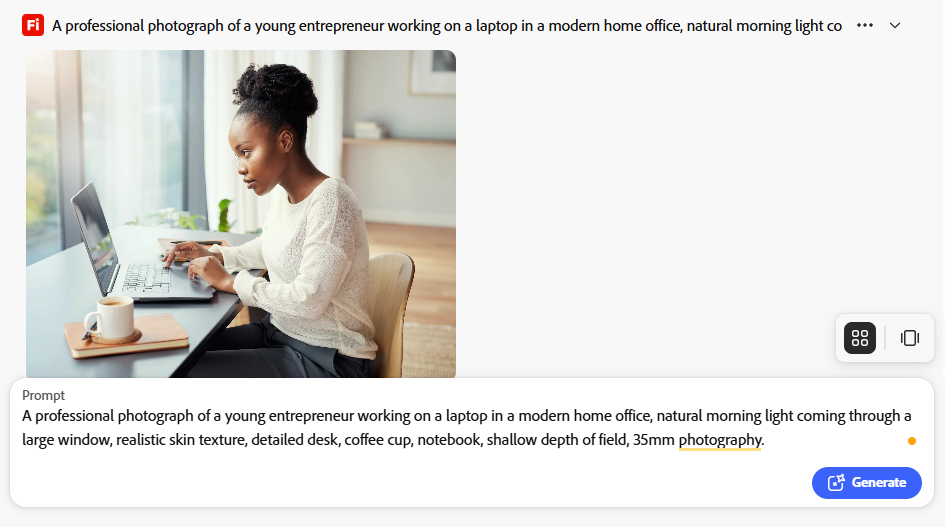
“A professional photograph of a young entrepreneur working on a laptop in a modern home office, natural morning light coming through a large window, realistic skin texture, detailed desk, coffee cup, notebook, shallow depth of field, 35mm photography.”
This is a common requirement for blogs, business websites, advertisements, and social media posts.
ChatGPT Images
ChatGPT handled the human description very well. The generated output generally followed the prompt without requiring complicated syntax. The image could also be refined in a follow-up prompt.
For example, instead of creating an entirely new prompt, you can ask for changes such as:
“Make the office brighter and move the laptop closer to the person.”
This conversational workflow is useful when you don’t know exactly how to write image-generation prompts.

Midjourney
Midjourney produced higher visual results with strong lighting and composition. Its current generation system also provides controls for aesthetics, personalization, aspect ratio, references, and other parameters.
For visually impressive photography, Midjourney remains a strong option. The trade-off is that users who want a simple “describe what I want” workflow may need more experimentation to get exactly the desired result.

Google Gemini
Gemini is useful when you want to describe an image with extra prompt and iterate on it to make it perfect. Google has also continued expanding image creation and editing capabilities in Gemini, including its Nano Banana image-generation technology.
Its conversational nature makes it approachable for users who aren’t familiar with traditional image-generation prompting.

Adobe Firefly
Firefly generated convincing photographic-style images and provided useful controls over composition, style, lighting, camera angle, and visual intensity.
One particularly useful feature is reference-image control. You can provide a reference and adjust how strongly the generated image follows its composition or style.
FLUX
FLUX is particularly interesting for users who want more control or want to integrate image generation into technical workflows.
Rather than being purely a consumer application, the FLUX ecosystem is also important for developers and production workflows.
Result
For realistic images, the differences between modern generators can be surprisingly small at first. The bigger difference appears when you need specific control over the image generation.
If your goal is a visually brilliant photograph, several tools can produce excellent results. If your goal is precise composition, repeatability, or integration into a larger workflow, the tool choice becomes more important.
Test 2: Blog Featured Image
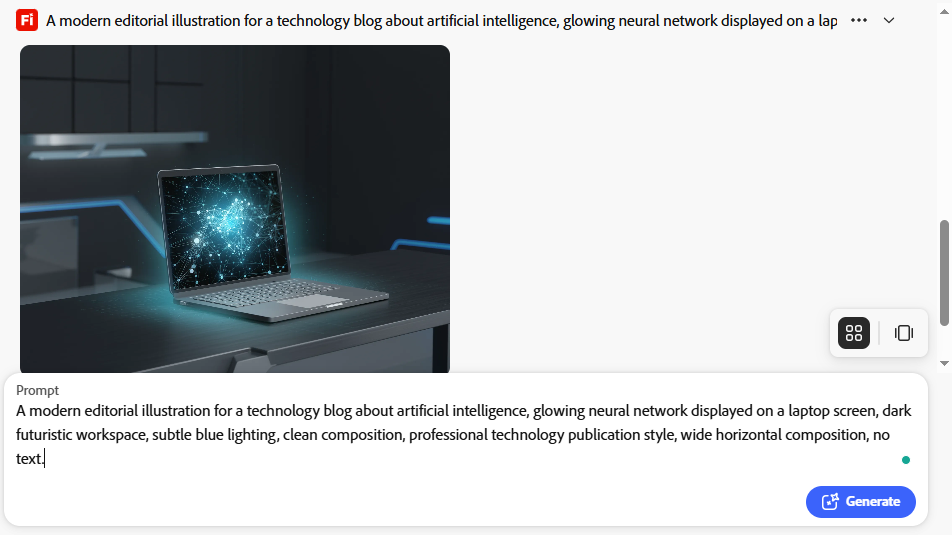
For the second test, I used a prompt designed specifically for a technology-related blog.
Test prompt
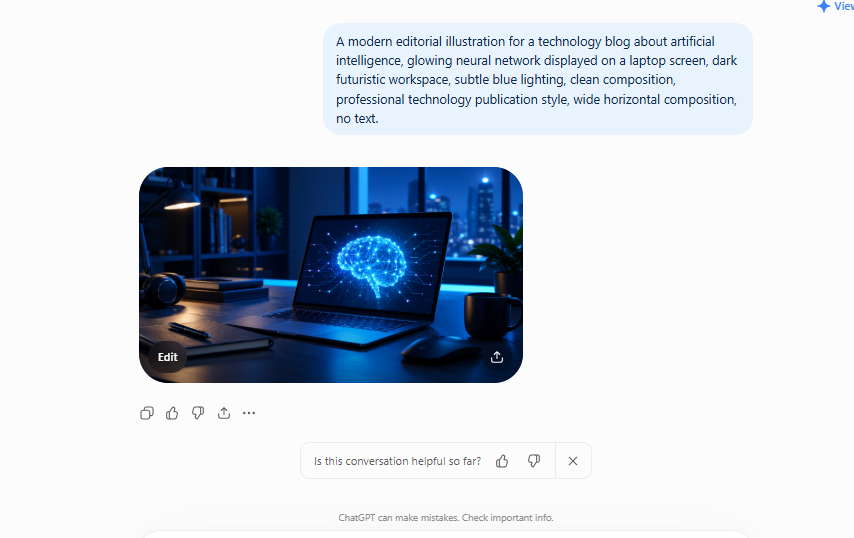
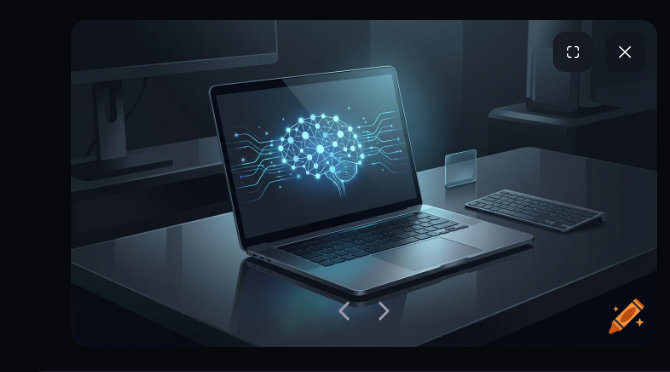
“A modern editorial illustration for a technology blog about artificial intelligence, glowing neural network displayed on a laptop screen, dark futuristic workspace, subtle blue lighting, clean composition, professional technology publication style, wide horizontal composition, no text.”
This is a realistic use case for tech websites.
ChatGPT Images
ChatGPT was effective when the prompt described the overall visual concept and idea. The ability to refine the image through conversation is particularly useful for bloggers and content creators.
For example:
“Make it more suitable for a professional technology website.”
Then:
“Remove the extra objects from the desk.”
Then:
“Make the AI network the main focus.”
This can reduce the need to repeatedly rewrite the entire prompt again and again.
Midjourney
Midjourney performed strongly in the artistic and editorial aspects of the test. The lighting, atmosphere, composition, and visual detail are particularly important for featured images, and Midjourney provides extensive aesthetic controls.
It also supports image prompts and style references, allowing users to influence composition, colors, and visual style with reference images.
Firefly
Firefly is particularly good for professional content teams already using Adobe tools for designing. Its current workflow allows users to generate images while controlling content type, aspect ratio, composition, visual style, lighting, tone, and camera angle.
That makes it useful for creating a consistent visual system for a website.
Result
For blog images, the most important factor isn’t necessarily maximum image quality.
A better question is:
Can I consistently create images that match my website’s visual identity?
For a technology blog, consistency can matter more than producing a completely different artistic style for every article.
Test 3: Text Inside an Image
This was one of the most important tests. I used the following prompt:
“Create a professional marketing poster for an AI productivity tool. Large headline: ‘WORK SMARTER WITH AI’. Smaller text: ‘Automate repetitive tasks and save time’. Modern technology design, clean layout, professional typography.”
Text generation has historically been one of the difficult areas for AI image generators. Modern systems have improved significantly, but results can still vary on each system.
Ideogram
Ideogram is also one of the best choices for AI design. Its documentation specifically identifies Ideogram 4.0 as its highest-quality model and highlights text rendering as a core strength.
For posters, advertisements, signs, thumbnails, and graphics where the actual words are part of the design, this capability is extremely important. Ideogram 4.0 was released in 2026 as an open-weight model with a commercial license and is also available through an API.

Midjourney
Midjourney can generate text inside images, especially with shorter phrases and careful prompting. Its current documentation recommends putting the desired words inside quotation marks.
It also notes that shorter text and the standard Latin alphabet generally work better. However, if your project depends on exact copy, you should still inspect the result carefully.
ChatGPT Images
ChatGPT is also useful for text-heavy graphics because the process can be conversational.
You can ask for a correction when something is wrong instead of starting completely from scratch.
Firefly
Firefly can also create marketing-style graphics, but for professional campaigns you should inspect generated typography carefully and consider using a dedicated design workflow when exact wording is critical.
Result
For images where the text itself is the main element, text-rendering ability should be one of your primary selection criteria. A beautiful image with incorrect words isn’t a finished marketing asset.
Test 4: Creative Illustration
Next, I tested a more imaginative prompt.
Test prompt
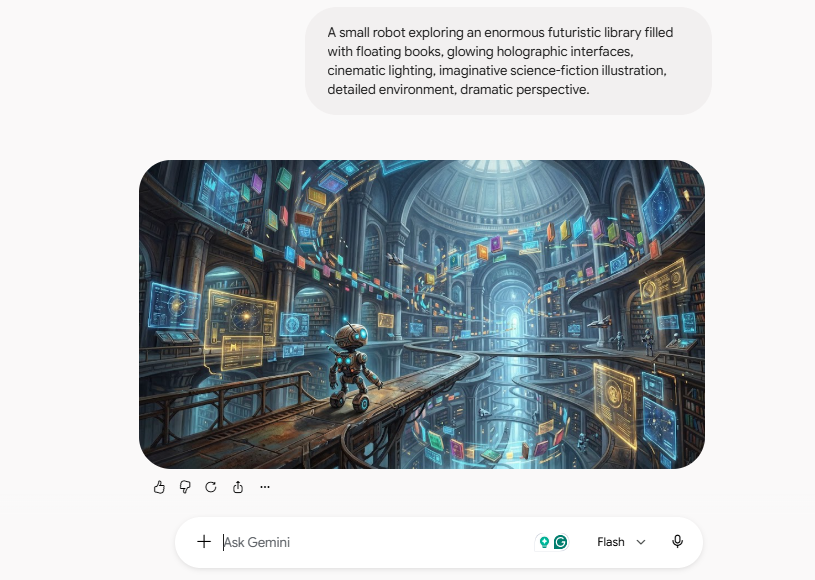
“A small robot exploring an enormous futuristic library filled with floating books, glowing holographic interfaces, cinematic lighting, imaginative science-fiction illustration, detailed environment, dramatic perspective.”
This test was less about realism and more about creativity.
Midjourney
Midjourney performed particularly well for artistic and imaginative work. Its large range of aesthetic controls makes it suitable for users who want to experiment with visual styles rather than simply reproduce real-world photography.
ChatGPT Images
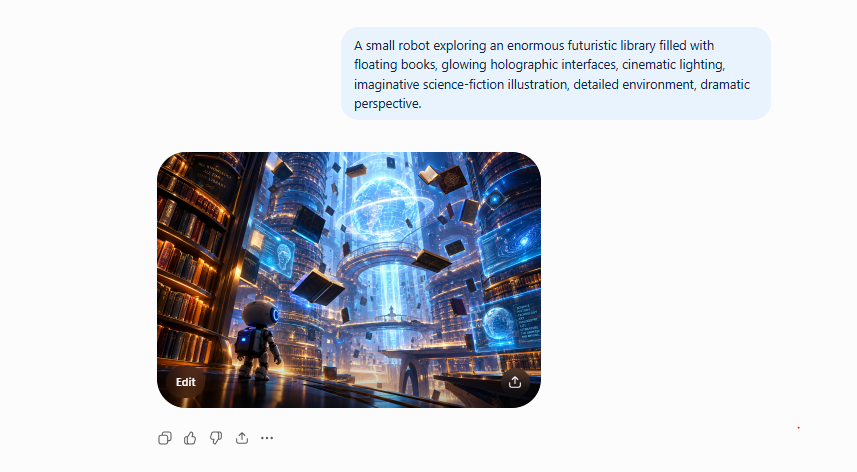
ChatGPT is useful when the creative process is iterative. You can start with a broad concept and then continue refining:
“Make the robot smaller.”
“Add floating holographic books.”
“Make the environment feel more mysterious.”
That conversational workflow can be easier for beginners.
Gemini
Gemini is similarly useful for users who prefer conversational interaction. Rather than learning a fixed prompt syntax, you can describe what you want and continue modifying the concept on each iteration.
Firefly
Firefly provides useful style and composition controls, particularly for people who want to move from experimentation into a broader design workflow.
Result
For creative illustrations, there isn’t a single factor for a quality image. One person may prefer a cinematic realistic style while another wants something more like a digital painting.
This is why image-generator comparisons should include style flexibility, not just image resolution.
Test 5: Product Image
For the product test, I used:
“A premium wireless AI assistant device placed on a minimalist desk, soft studio lighting, clean background, realistic product photography, subtle reflections, luxury technology advertisement.”
Product images are especially useful for businesses.
They can be used for:
- Product concepts
- Advertising ideas
- Website mockups
- Social media
- Presentation slides
- Product launches
- Landing pages
Firefly
Firefly is attractive for professional creative workflows because it includes image generation alongside editing capabilities. Adobe describes Firefly as a creative studio capable of generating and editing images, videos, and vector graphics.
This broader workflow can be useful when the generated image is only the starting point.
Midjourney
Midjourney can produce highly polished product-style imagery with strong lighting and composition. It’s especially useful when the objective is to create an advertising concept or visually impressive product scene.
ChatGPT Images
ChatGPT can be convenient when the product image needs several rounds of conversational changes.
For example:
“Put the device on a white table.”
Then:
“Make the background suitable for a technology website.”
Then:
“Create a 16:9 version.”
That type of iterative workflow can save time.
Test 6: Complex Prompt Accuracy
The final test combined many requirements.
Test prompt
“Create a wide 16:9 editorial image showing a cybersecurity professional analyzing an AI-generated threat dashboard on a large monitor, modern office environment, laptop on the desk, subtle network diagrams in the background, realistic lighting, professional technology publication aesthetic, clean composition, no logos, no readable text.”
This test asks the generator to understand:
- Subject
- Environment
- Composition
- Aspect ratio
- Lighting
- Secondary objects
- Visual style
- Restrictions
This is where simple image-quality comparisons become less useful. A model might produce a beautiful image while ignoring three or four important requirements.
For practical content creation, prompt adherence is therefore just as important as visual quality.

AI Image Generator Comparison
Here is the practical comparison from the testing approach:
| Tool | Image Quality | Prompt Control | Text in Images | Best Use |
|---|---|---|---|---|
| ChatGPT Images | Very High | Very High | High | General-purpose creation and editing |
| Midjourney | Very High | High | High | Artistic and cinematic images |
| Gemini | High | High | High | Conversational creation and editing |
| Adobe Firefly | High | Very High | High | Professional creative workflows |
| Ideogram | High | High | Very High | Posters, graphics, and text-heavy images |
| FLUX | Very High | Very High | Varies by implementation | Advanced and developer workflows |
These aren’t permanent rankings. AI models are updated frequently, and different implementations can produce different results in each new update.
The comparison should therefore be use-case guidance rather than a universal scorecard.
Which AI Image Generator Should You Use?
Instead of asking:
“What is the best AI image generator?”
Ask:
“What type of image am I trying to create?”
That produces a much more useful answer.
For Blog Images
If you need featured images for articles, look for:
- Good composition
- Wide aspect ratios
- Consistent visual style
- Easy prompting
- Fast iteration
ChatGPT, Midjourney, Firefly, and Gemini are all worth considering. For a technology blog, consistency is especially important. You don’t want every article to look like it came from a completely different website.
For Artistic Images
Midjourney is particularly suited to users who care about aesthetics, visual experimentation, and artistic composition. Its current V8.2 system includes personalization and controls intended to influence the visual result.
It’s a strong option for:
- Concept art
- Editorial illustrations
- Fantasy scenes
- Science fiction
- Cinematic imagery
- Creative campaigns
For Images Containing Text
Ideogram is particularly relevant when the image itself needs readable text.
Examples include:
- Posters
- Advertisements
- Social media graphics
- Signs
- Quote graphics
- Promotional banners
Midjourney and other modern generators can also create text, but dedicated text rendering should be considered when exact wording is important.
For Adobe Users
If you already use Photoshop, Illustrator, or other Adobe products, Firefly deserves serious consideration. The advantage isn’t just image generation.
It’s the surrounding workflow. Firefly provides image generation, editing, reference controls, style controls, and other creative capabilities in one ecosystem.
For Developers and Advanced Users
FLUX becomes particularly interesting when you want more technical control.
Developers may care about:
- APIs
- Automation
- Model access
- Deployment options
- Custom workflows
- Batch generation
This is different from choosing a tool simply because its website produces attractive images.
What I Learned From the Test
The biggest lesson from comparing AI image generators is that image quality alone isn’t enough. Imagine two tools.
Tool A produces a beautiful image but ignores your requested layout. Tool B produces an image that is slightly less artistic but follows your instructions accurately.
For a business website, Tool B may actually be more useful. This is why I would evaluate AI image generators using at least five questions:
1. Does it understand my prompt?
Prompt adherence is critical when an image has multiple requirements.
2. Does it produce consistent results?
Consistency matters for brands and websites.
3. Can it generate readable text?
This matters for advertisements, posters, thumbnails, and social media graphics.
4. Can I edit the result?
A generator becomes much more useful when you can modify an image instead of regenerating everything.
5. Does it fit my workflow?
A designer, blogger, developer, marketer, and business owner may need completely different features.
How to Write Better Prompts for AI Image Generators
The quality of your prompt can dramatically affect the result. A useful prompt structure is:
Subject + Environment + Composition + Lighting + Style + Aspect Ratio + Restrictions
For example:
“A professional cybersecurity analyst working at a modern desk, large monitor showing an abstract security dashboard, dark technology office, cinematic lighting, realistic editorial photography, clean composition, wide 16:9 image, no logos, no readable text.”
This gives the generator more useful information than:
“Cybersecurity image.”
However, more words don’t automatically mean better results. The goal is specificity, not unnecessary complexity.
Common Mistakes When Generating AI Images
Mistake 1: Using Extremely Short Prompts
“AI technology image” gives the generator too much freedom. Add information about the subject, environment, style, lighting, and composition.
Mistake 2: Asking for Too Much Text
If the image requires a large paragraph of text, a dedicated design application may be more appropriate. AI image generation works better when the requested text is short and clearly specified.
Mistake 3: Not Specifying the Aspect Ratio
A blog header, Instagram post, YouTube thumbnail, and website hero image all have different dimensions. Specify the intended format.
Mistake 4: Accepting the First Result
The first image is not necessarily the best image. Generate variations and refine the prompt.
Mistake 5: Ignoring Copyright and Commercial Terms
Before using an AI-generated image commercially, check the current terms of the specific service and model you used. This is especially important when using third-party models inside an AI platform.
Adobe, for example, distinguishes its own Firefly models and third-party models available through Firefly, so users should check the applicable terms rather than assuming every model has identical protections.
Can AI-Generated Images Be Used on a Blog?
Yes, AI-generated images can be useful for blog content, provided you understand the terms of the tool you’re using and don’t create misleading or deceptive content.
For a technology website, AI images can be used for:
- Featured images
- Article illustrations
- Concept diagrams
- Social media graphics
- Newsletter graphics
- Website banners
- Tutorials
- Product concepts
However, images should support the article rather than simply exist to make the page look longer. A useful image should help readers understand the topic or make the page easier to navigate.
My Practical Workflow for Blog Images
For a website such as ControlOwl, I would use a simple workflow.
Step 1: Identify the purpose
Before generating an image, decide what the image needs to accomplish.
For example:
“This is the featured image for an article about AI agents.”
Step 2: Choose a visual style
Keep a consistent style across articles.
For example:
Modern technology editorial illustration.
Step 3: Generate multiple concepts
Don’t immediately publish the first image. Create several variations and add more features to the image to match the requirements.
Step 4: Check accuracy
Look for:
- Strange hands
- Incorrect objects
- Distorted screens
- Unwanted logos
- Random text
- Duplicate objects
- Unrealistic anatomy
Step 5: Edit the strongest result
Use the generator’s editing tools or another design application if necessary.
Step 6: Optimize the image
Before uploading to WordPress:
- Resize it appropriately
- Compress it
- Use a descriptive filename
- Add useful alt text
- Avoid unnecessarily huge files
For example:
best-ai-image-generators-2026.jpg
is more useful than:
IMG_928374.jpg
Final Verdict: Which AI Image Tool Should You Try?
There isn’t one AI image generator that is perfect for every situation. The testing shows that the important differences are increasingly about workflow and specialization, rather than simply whether a tool can produce a good-looking image.
Midjourney is particularly compelling for artistic, cinematic, and visually expressive work.
ChatGPT Images is useful for people who want a conversational image-generation and editing workflow.
Google Gemini is worth considering if you prefer conversational creation and Google’s broader AI ecosystem.
Adobe Firefly makes sense for users who want AI generation integrated into a professional creative workflow.
Ideogram stands out when readable text is an important part of the image.
FLUX is particularly interesting for technically advanced users and developers who want more control over image-generation workflows.
The best choice ultimately depends on the task. If you’re creating a blog featured image, you may prioritize composition and consistency.
If you’re designing an advertisement, text rendering becomes much more important. If you’re creating concept art, aesthetics and creative control may matter most.
If you’re building an automated application, API access and technical control could be more important than the appearance of a single generated image.
That’s why the most useful way to compare AI image generators isn’t simply to ask which produces the prettiest picture. Instead, test them with the exact type of images you actually need to create.
AI image generation has moved from a novelty to a practical content-creation tool. The biggest advantage isn’t simply being able to create an image from text. It’s being able to turn an idea into a visual, evaluate the result, modify it, and repeat the process until the image fits the purpose.
And as these models continue to improve, the most useful image generator may change from project to project.
For now, the smartest approach is simple: test the tools against your own workflow instead of relying only on a generic “best AI image generator” list.
Stay Ahead with ControlOwl
Get the latest AI tools, software tips, tutorials, and technology insights delivered straight to your inbox.