

Working as a freelancer is more than just delivering work to clients. Freelancers and solopreneurs must also focus on writing proposals to clients, managing emails, researching new opportunities, creating marketing campaigns, scheduling meetings, tracking projects, and handling administrative tasks.
These tasks can become difficult to manage when one person handles everything from finance to development. This is where artificial intelligence (AI) tools can help to make work easier. The best AI tools for freelancers can assist with writing, research, graphic design, project management, customer communication, and repetitive workflows.
They can reduce repetitive work and help individuals spend more time on valuable client projects. However, not every AI tool deserves a place in your workspace. Some offer useful free features, while others require subscriptions that may not be worthwhile for a beginner.
In this guide, we compare popular AI tools for freelancers and solopreneurs in 2026, explain what each tool does well, discuss its limitations, and show how to choose a practical combination without overspending.
Quick comparison: Best AI tools for freelancers in 2026
| AI tool | Best use | Free access |
|---|---|---|
| ChatGPT | Writing, brainstorming, analysis | Yes, with limits |
| Claude | Long-form writing and document analysis | Yes, with limits |
| Perplexity | Research and source discovery | Yes, with limits |
| Grammarly | Grammar and writing improvements | Yes, with limits |
| Canva | Graphics, presentations, marketing materials | Yes, with limits |
| Notion | Project and knowledge management | Yes, with limits |
| Zapier | Workflow automation | Yes, with limits |
| GitHub Copilot | Coding assistance | Plan-dependent free access |
Free-plan allowances and paid features can change. Check each provider’s current plan before subscribing.
1. ChatGPT: Best all-purpose AI assistant

Best for: Writers, consultants, editors, and professionals who regularly work with lengthy documents.
ChatGPT is an all-rounder AI assistant that can help independent professionals brainstorm ideas, draft emails, prepare proposals, summarize documents, analyze data, and develop content outlines.
Instead of switching between separate applications for every small task, freelancers can use one assistant for a wide range of activities, from writing emails to fixing bugs.
For example, a freelance web designer could ask ChatGPT to prepare a website project proposal, generate questions for an initial client meeting, explain technical concepts in simple language, and draft a project handover checklist.
Content writers can use it to brainstorm articles, create outlines, and identify issues in a draft. Consultants can use it to organize notes and prepare a report.
Practical example: Suppose a client wants a website for an online delivery business. You could provide the client’s requirements and ask ChatGPT to organize them into project objectives, deliverables, milestones, and questions that need clarification.
The result can serve as a starting point for a proposal, but you should verify the scope, deadlines, and costs yourself.
Advantages
- Supports a broad range of writing and productivity tasks.
- Helps organize information and develop structured drafts.
- Can assist with data analysis and certain file-based tasks.
- Offers a free plan for getting started.
Limitations
- May produce inaccurate information or false details.
- Drafts often need editing to reflect your expertise and brand voice.
- Paid features and usage limits depend on the selected plan.
Verdict: ChatGPT is a strong starting point if you want one AI tool that can support several sections of your freelance business from design to marketing.
Official website: ChatGPT
2. Claude: Best for long-form writing and document analysis
Best for: Writers, consultants, editors, and professionals who regularly work with long documents.
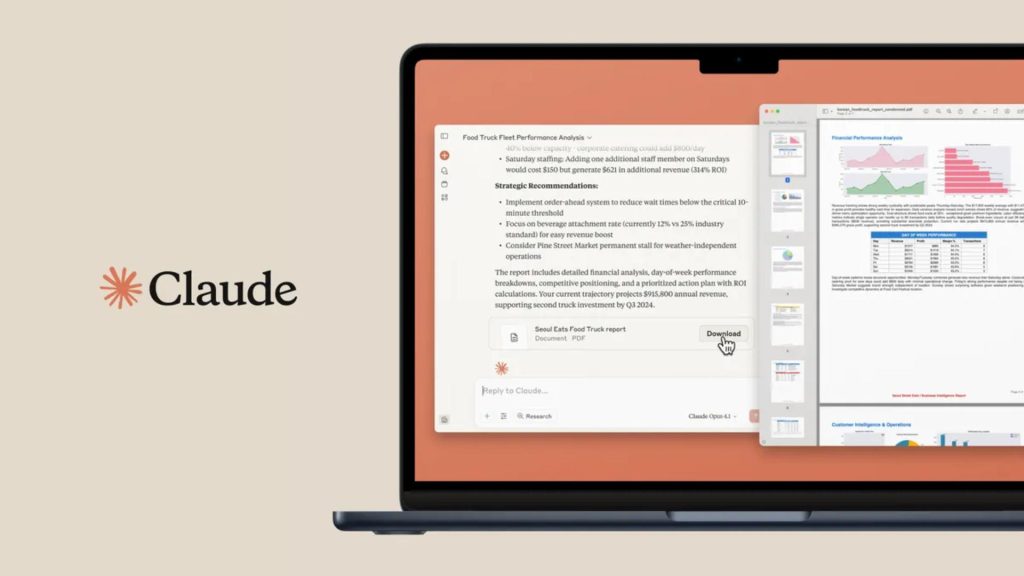
Claude, developed by Anthropic, is another general-purpose AI assistant that works similarly to ChatGPT. It can help with drafting, editing, coding, summarization, and analyzing information provided in documents.
For freelancers who create detailed reports, proposals, guides, and client-facing documents, Claude is worth comparing with ChatGPT.
Imagine receiving a lengthy project brief from a client that consists of 50 pages. Instead of manually reading the entire document, you can ask Claude to summarize the objectives, identify unclear requirements, list important deadlines, and highlight questions that need answers.
A freelance writer could also provide a draft and request feedback on its organization, repetitive passages, tone, and clarity.
The important point is that AI feedback should support your judgment rather than replace it. If a client provides a legal agreement, for instance, an AI-generated summary is not a substitute for qualified legal advice.
Advantages
- Useful for drafting and revising long-form content.
- Can summarize and organize substantial amounts of text.
- Supports coding and other knowledge-work tasks.
- Provides a free entry point alongside paid plans.
Limitations
- Free usage is limited and can vary with demand and task complexity.
- May misunderstand context or overlook important details.
- A paid subscription does not automatically include separate API usage.
Verdict: Compare Claude with ChatGPT using the same document and instructions. Choose the one that produces the most useful results for your particular work.
Official website: Claude
3. Perplexity: Best for research and finding sources
Best for: Researchers, content writers, consultants, and freelancers who need to investigate unfamiliar topics and need sources.
Research can consume a significant amount of time before the actual work begins. Freelancers may need to understand an industry, find competitors, identify product features, or collect sources for an article.
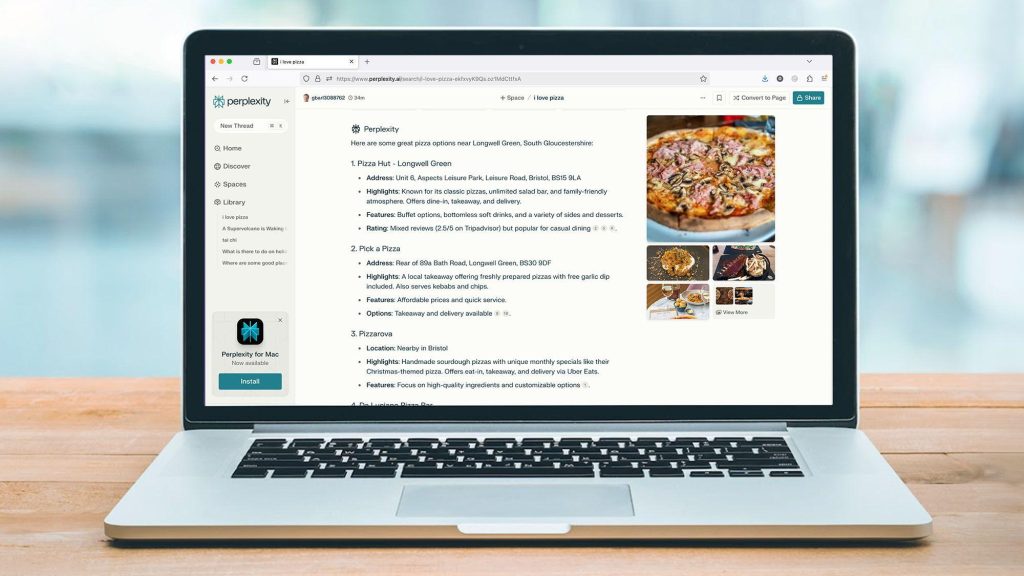
Perplexity is an AI-powered search and research tool that helps users explore questions and discover supporting sources and citations.
For example, a freelance technology writer preparing an article about website security could use it to find relevant documentation, identify industry terminology, and discover sources worth examining.
A marketing consultant could investigate competing products and create a list of differences to verify before the start of the project.
The key benefit is source discovery. Instead of treating every AI-generated statement as a fact, you can use the linked references to investigate the original material.
Advantages
- Helps discover sources for unfamiliar topics.
- Can speed up preliminary research.
- Useful for comparing products and gathering background information.
- Offers free access with restrictions on some features.
Limitations
- Search results may not include every important source.
- A cited page does not necessarily support every claim in the answer.
- Current pricing, statistics, and technical claims still require verification.
Verdict: Perplexity can complement a writing assistant, particularly when your work requires current information and traceable references.
Official website: Perplexity
4. Grammarly: Best for editing professional communication
Best for: Freelancers who write client emails, proposals, reports, and other business documents.
Clear communication affects how clients judge your professionalism. Even when your ideas are strong, spelling errors, awkward sentences, or an inconsistent tone can weaken the final output.
Grammarly helps users review grammar, spelling, clarity, and tone. Depending on the plan and available features, it may also provide AI-assisted rewriting and other writing suggestions.
A freelancer could use it to polish a project update before sending it to a client, improve the readability of a proposal, or review a report before delivery.
Consider this rough message:
I have completed most of work but there is some issue with payment integration and need more time.
After editing, it might become:
I have completed most of the project. The payment integration needs additional testing, so I will need a little more time to finish it properly.
The revised version is clearer and more professional without changing the motive of the message.
Advantages
- Helps catch common writing mistakes.
- Useful for routine client communication.
- Can improve clarity and readability.
- Offers a free starting option.
Limitations
- Suggested changes can remove your natural voice or motive.
- AI rewriting may not preserve every true intention.
- Some advanced capabilities require a subscription.
Verdict: Start with the free version and consider upgrading only if its additional features solve a recurring problem.
Official website: Grammarly
5. Canva: Best for marketing graphics and presentations

Best for: Virtual assistants, social media managers, consultants, content creators, and small business owners.
Freelancers often need visual assets even when design is not their main profession. These might include social media posts, presentation slides, proposals, thumbnails, advertisements, or simple branded documents.
Canva provides visual design tools, templates, and AI-assisted features that can help users create these materials.
For example, a social media freelancer managing a client’s account could prepare a reusable template, generate several post concepts, and adapt the layouts for different platforms.
A consultant could create a presentation that summarizes a project’s findings without building every slide from scratch.
However, a template is only a starting point. Good visual communication still requires attention to readability, contrast, alignment, image licensing, and brand consistency.
Advantages
- Makes common design tasks accessible to non-designers.
- Offers templates for many business and marketing formats.
- Helps maintain consistent branding across multiple assets.
- Includes free features, with additional capabilities on paid plans.
Limitations
- Popular templates can make designs look generic.
- AI-generated text and images may require substantial correction.
- Premium elements and advanced features may require payment.
Verdict: Canva is a practical option for freelancers who regularly produce visual content but do not need a full professional design suite.
Official website: Canva
6. Notion: Best for managing projects and business knowledge
Best for: Solopreneurs who need one organized place for tasks, notes, processes, and project information.
When you work alone, client information can quickly become scattered across emails, documents, spreadsheets, and messaging applications.
Notion provides a workspace where you can organize projects, create task databases, store meeting notes, document processes, and maintain a knowledge base. AI capabilities depend on the current plan and feature allowances.
For example, a freelance developer could create a page for every client containing project requirements, deliverables, deadlines, meeting notes, and outstanding issues.
A content writer could maintain a publishing calendar with article titles, target keywords, research links, drafts, and publication dates.
This system becomes more useful when you reuse it for every project rather than creating a new organizational method each week.
Advantages
- Combines notes, tasks, documents, and databases.
- Supports reusable templates and repeatable workflows.
- Helps keep client information organized.
- Provides a free plan for individual use.
Limitations
- Requires time to design a useful workspace.
- Excessive customization can become another productivity distraction.
- AI availability and allowances differ by plan.
Verdict: Use Notion if disorganized project information is a bigger problem than writing or research itself.
Official website: Notion
7. Zapier: Best for automating repetitive business tasks
Best for: Freelancers who repeatedly move information between applications.
AI can help create content, but automation can help connect the different steps of a business process.
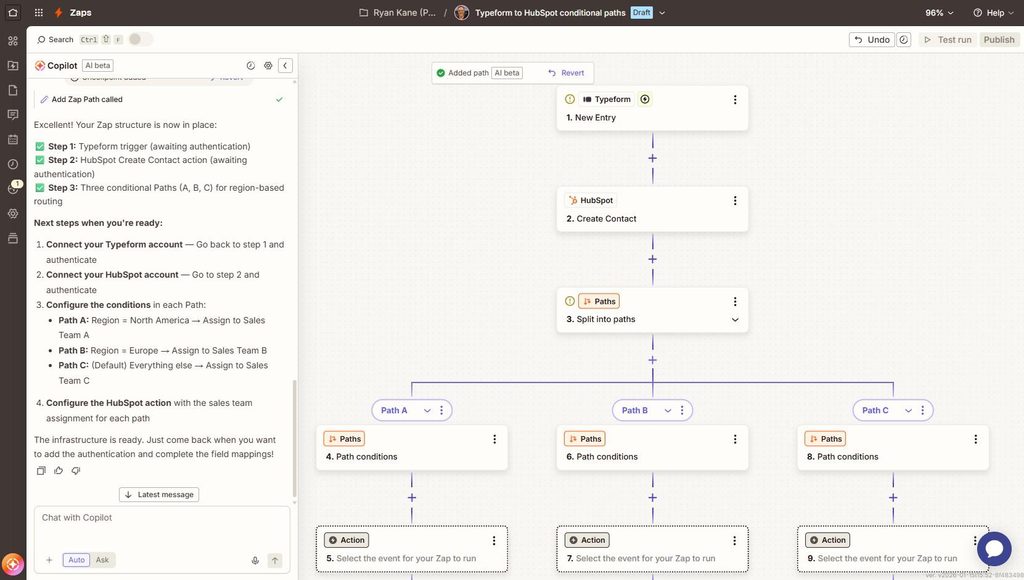
Zapier connects supported applications through workflows, often called Zaps. A workflow usually begins with a trigger, such as a new form submission, and then performs one or more actions.
Consider a freelance consultant who receives inquiries through a website contact form. A workflow might:
- Detect a new inquiry.
- Add the lead to a spreadsheet or customer management system.
- Send a notification to the freelancer.
- Create a follow-up task.
- Prepare a draft response for human review, if the connected tools support it.
This can reduce repetitive data entry and make it less likely that a promising lead gets overlooked.
Another example is a content workflow that records newly published articles in a tracking spreadsheet or sends a notification when a task changes status.
Advantages
- Connects many supported business applications.
- Reduces repetitive manual work.
- Can support lead management, notifications, and content workflows.
- Offers a way to start with small automations before building complex systems.
Limitations
- Some integrations and advanced workflows require paid plans.
- Automation errors can spread incorrect information between applications.
- AI-generated actions need safeguards, especially when they affect customers.
Verdict: Choose Zapier when you can identify a specific repetitive process that consumes time every week. Automating a well-defined task is usually more useful than building a complicated workflow simply because the technology is available.
Official website: Zapier
8. GitHub Copilot: Best for freelance developers

Best for: Freelance programmers, web developers, and software consultants.
Developers spend much of their time on simple tasks while writing code, understanding unfamiliar repositories, fixing bugs, creating tests, and documenting their work. GitHub Copilot is an AI coding assistant designed to support parts of this process.
It can suggest code, help explain programming concepts, and assist with writing tests or exploring potential solutions, depending on the editor, model, and plan.
For example, a freelance WordPress developer might ask for help understanding a PHP function, generating a basic test case, or identifying potential problems in a code snippet.
A web developer working with JavaScript could use an AI coding assistant to produce an initial implementation and then review it against the project’s requirements.
Generated code must be treated as unverified. It can contain security vulnerabilities, incorrect assumptions, inefficient logic, or dependencies that do not suit the project.
Advantages
- Can speed up routine coding tasks.
- Helps developers explore unfamiliar APIs and frameworks.
- Can assist with test generation and code explanations.
- Integrates into supported development environments.
Limitations
- Suggestions may be incorrect or insecure.
- Developers remain responsible for testing and maintaining code.
- Access and usage allowances depend on the current plan.
Verdict: GitHub Copilot is worth considering if coding is a major part of your freelance work. Nontechnical freelancers are unlikely to need it.
Official website: GitHub Copilot
Which AI tools should you choose for your type of freelance work?
The best choice depends on what you sell to clients. You do not need every tool in this article.
| Freelance role | Useful starting combination |
|---|---|
| Content writer | ChatGPT or Claude + Grammarly |
| SEO specialist | ChatGPT + Perplexity + Canva |
| Graphic designer | Canva + ChatGPT |
| Web developer | GitHub Copilot + ChatGPT |
| Virtual assistant | ChatGPT + Notion |
| Marketing consultant | ChatGPT + Perplexity + Canva |
| Solo business owner | ChatGPT + Notion + a suitable automation tool |
These are suggested combinations, not performance-based rankings. The right setup depends on your current software, client requirements, budget, and the kinds of tasks you perform most often.
How to build an affordable AI toolkit
One of the biggest mistakes freelancers make is subscribing to several AI tools before understanding what they need. A more sensible approach is to start with a small toolkit and expand only when there is a clear reason.
Step 1: Identify your biggest time-consuming task
For one week, write down the tasks that consume time outside your core paid work. You might discover that you spend too much time writing proposals, creating social graphics, organizing client notes, or researching topics.
Start with the task that is both frequent and frustrating.
Step 2: Test one tool using a real task
Use the free plan where available and try a task you actually perform for clients. For instance, ask an AI assistant to turn a real project brief into a proposal outline. Check whether the result is accurate, relevant, and easy to edit.
Avoid evaluating a tool only by how impressive its first answer looks. What matters is how much useful work remains.
Step 3: Measure the time saved
Record how long the task takes without AI and how long it takes with AI, including review and correction.
Suppose preparing a routine report takes 60 minutes manually. With AI, the first draft takes 20 minutes, but verification and editing take another 15 minutes.
The total becomes 35 minutes, saving 25 minutes per report. This is an illustrative example, not a measured result from a specific product.
Step 4: Decide whether a paid plan is worthwhile
Only consider upgrading after you have established that a tool is useful and its free limits interfere with your work.
Compare the subscription cost with the time saved, the value of that time, and any additional work needed to check the output.
A tool that saves several hours on valuable client work may justify its cost. A subscription that you use once a month may not.
Important limitations and risks of AI tools
AI can improve a freelance task, but it also creates responsibilities that independent professionals should understand.
Accuracy: AI systems can generate convincing but incorrect answers. Verify important facts, calculations, code, and research before delivering work to a client.
Privacy: Avoid uploading confidential client documents, personal information, passwords, or sensitive data unless the tool and your client agree to upload.
Originality: AI-generated drafts may resemble common material found elsewhere. Add your own research, examples, expertise, analysis, and editing instead of publishing generic output.
Copyright and licensing: Check the terms governing commercial use of generated content and design assets. Do not assume every image, font, or generated result is free of restrictions.
Client expectations: Be transparent about AI use when your contract, client, or professional obligations require disclosure.
Overdependence: AI should support your judgment, not replace it. Your expertise and accountability remain important reasons for clients to hire you.
For freelancers, the goal is not to automate every activity. It is to make routine work easier while maintaining the quality and trust that support a sustainable business.
How to use AI tools in a real freelance workflow
The real value of AI becomes clearer when several tools support one project instead of being used independently.
Imagine you are a freelance content marketer hired to prepare a blog post and promotional materials for a small business.
- Research the topic: Use Perplexity to discover relevant sources and ChatGPT to organize research questions. Verify important claims against original sources.
- Prepare the first draft. Use ChatGPT or Claude to create an outline and develop a draft from your research and the client’s brief.
- Edit the content. Use Grammarly to identify writing issues. Review factual accuracy, remove repetitive passages, and add your own examples.
- Create promotional graphics. Use Canva to develop a blog thumbnail and social media graphics that match the client’s brand.
- Manage delivery: Track the draft, revisions, approval, and publication date in Notion. Use an automation tool only if repeated handoffs justify it.
This workflow uses a small number of tools for clearly defined purposes. You do not need to subscribe to all of them immediately.
How much do AI tools cost in 2026?
AI tool pricing depends on the plan, billing period, country, usage limits, and available features. Some tools provide useful free plans, while advanced capabilities may require subscriptions.
For example, ChatGPT offers a free plan and paid options, while Claude offers free and paid plans. Notion also has a free individual plan and paid workspace options.
Before purchasing a subscription, consider these questions:
- Does the free plan already meet your needs?
- Will you use the paid features regularly?
- Are the usage limits suitable for your workload?
- Does the subscription duplicate features in software you already pay for?
- Can you cancel easily if the tool no longer provides value?
Check the official pricing pages before making a decision because plans and features can change.
Final verdict: Which AI tools should freelancers start with?
The best AI tools for freelancers and solopreneurs in 2026 are the ones that solve real problems without creating unnecessary costs or additional work.
Start with one general-purpose assistant, such as ChatGPT or Claude. Add Canva if you regularly create graphics, Grammarly if writing quality is a recurring concern, or Notion if project organization is your biggest challenge. Consider Perplexity for research, Zapier for repetitive workflows, and GitHub Copilot if you write software.
Most importantly, evaluate each tool using actual tasks from your business. Measure how long the task takes, inspect the quality of the result, and account for the time needed to correct errors.
You do not need the largest collection of AI subscriptions to run an efficient freelance business. You need a small, dependable set of tools that helps you deliver better work, communicate clearly with clients, and use your time wisely.
As AI technology continues to evolve, the advantage will not simply belong to people who use the most AI tools. It will belong to people who understand when to use them, how to verify their results, and where human expertise still matters.
Stay Ahead with ControlOwl
Get the latest AI tools, software tips, tutorials, and technology insights delivered straight to your inbox.