

Artificial intelligence is changing the way students learn, research, write, and prepare for exams. Instead of spending hours on internet, writing notes, or trying to understand difficult topics, students can now use AI to make studying more easier and effective.
But using AI does not mean it will do all the homework. The best approach is to use AI as a study assistant—something that helps you understand concepts, practice skills, organize information, and identify areas where you need more work.
In this guide, we look at some of the best AI tools for students, what each tool is useful for, and how students can use them for productivity.
What Are AI Tools for Students?
AI tools for students are applications that use artificial intelligence to help with tasks such as:
- Understanding difficult subjects
- Summarizing study material
- Creating practice questions
- Generating flashcards
- Improving writing
- Checking grammar
- Researching topics
- Organizing notes
- Solving mathematical problems
- Learning languages
- Preparing for exams
- Creating study plans
Some tools are general-purpose AI assistants, while others are specifically designed for education, writing, research, mathematics, or note-taking. The important thing is to choose a tool based on the task you are trying to accomplish.
Why Should Students Use AI Tools?
Students often have limited time and budget. Between classes, assignments, exams, projects, and personal responsibilities, it can be difficult to manage everything. AI tools can reduce the time spent on repetitive tasks.
For example, instead of asking an AI chatbot to write an entire assignment, you can use it to:
- Explain the topic in simple language.
- Create an outline.
- Suggest questions you should research.
- Identify areas that need more explanation.
- Review your draft.
- Generate practice questions.
This approach allows AI to support the learning process rather than replace it.
AI can help students with three major areas:
Understanding: Explain difficult concepts in simple terms.
Practice: Generate questions and quizzes for better understanding.
Organization: Turn notes and information into a structured study plan.
Best AI Tools for Students
Here are some of the most useful categories and tools students can explore.
1. ChatGPT — AI Study Assistant
ChatGPT can act as a general-purpose study assistant. It can explain concepts, generate quizzes, help brainstorm ideas, review writing, summarize information, and create study plans.
One of its biggest advantages is that students can ask follow-up questions multiple times.
For example, instead of simply asking:
“Explain photosynthesis.”
you can ask:
“Explain photosynthesis like I’m a beginner.”
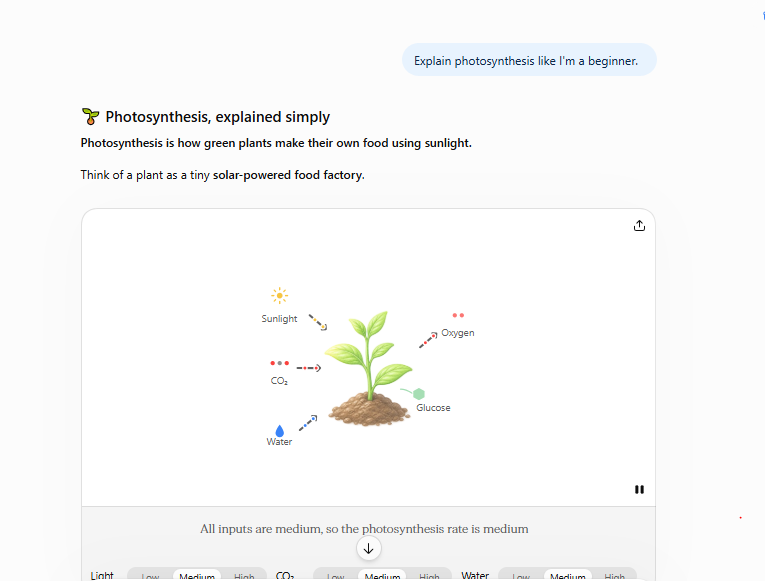
Then:
“Give me a real-world example.”
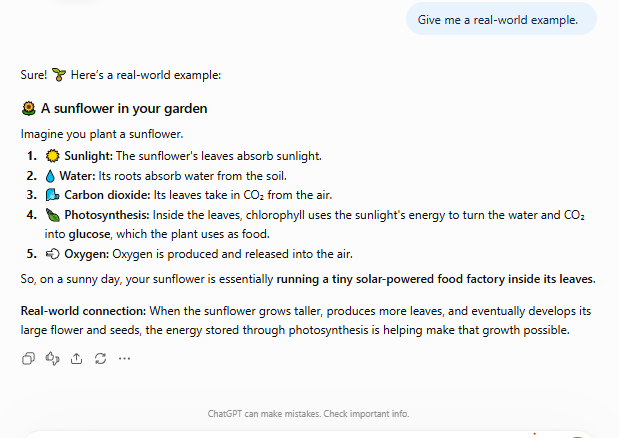
And finally:
“Create 10 multiple-choice questions to test me.”
This turns an AI chatbot into an interactive learning partner for the student.
How students can use ChatGPT
For difficult concepts
Ask the AI to explain the subject at different levels.
For example:
Explain Newton’s laws using simple examples for a high-school student.
For exam preparation
Ask it to create practice questions based on a topic.
Create 20 multiple-choice questions about database normalization. Don’t show the answers until I finish.
For writing
Students can use AI to identify grammar problems, improve clarity, and organize their own ideas. The important distinction is between getting help with your work and submitting AI-generated work as your own.
2. Google Gemini — Research and Study Assistance
Google Gemini can help students brainstorm ideas, explain difficult concepts, summarize long paragraphs, and work with different types of content. Students can use it when they want to explore a subject from multiple sources.
For example, if you’re studying climate change, you could ask:
Explain the major causes of climate change and separate natural causes from human causes.
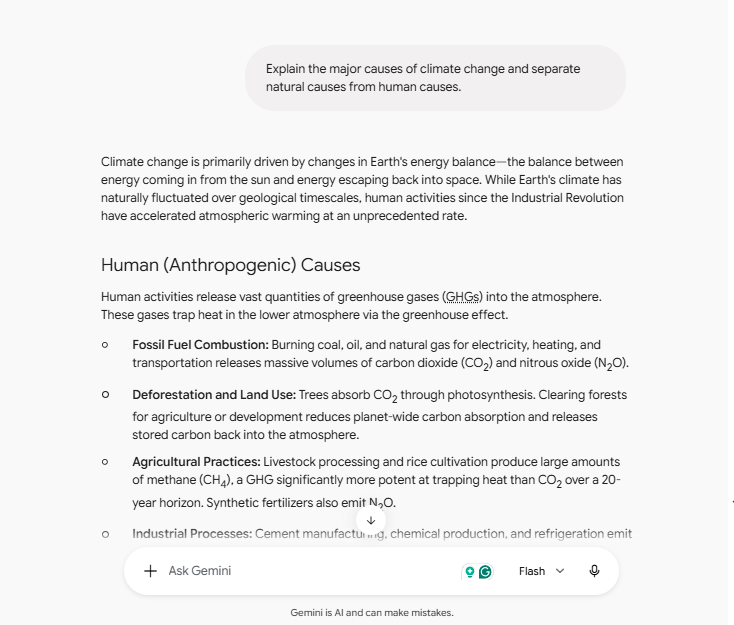
You could then ask follow-up questions about individual topics.
Useful student applications
Gemini can help with:
- Brainstorming research topics
- Explaining concepts
- Creating study questions
- Summarizing information
- Comparing ideas
- Generating outlines
- Understanding technical subjects
As with any AI system, students should verify important facts using reliable sources.
3. Claude — Useful for Long Documents and Writing
Claude can be useful when the lecture is long. Students may use it to analyze notes, organize information, explain reading material, or review drafts.
For example, you could provide your lecture notes and ask:
Identify the five most important concepts in these notes and explain each one in simple language.
You could then ask:
Turn these concepts into a revision checklist.
Claude can help students with:
- Long-form reading
- Writing feedback
- Brainstorming
- Summarization
- Research organization
- Coding explanations
- Study guides
However, students should still focus on the original material rather than relying entirely on an AI-generated summary of the lecture.
4. Microsoft Copilot — Productivity and Study Help
Microsoft Copilot can be useful for students who are using Microsoft products in the workshop. AI assistance can be valuable when creating documents, presentations, or organizing information with Microsoft products like Microsoft 365 Education, Teams, OneDrive, and many more.
For example, students working on a presentation can use AI to brainstorm a structure before creating their own slides. A simple workflow might be:
Topic → Research → Outline → Draft → Review → Presentation
AI can assist with several stages without replacing the student’s own understanding.
5. Perplexity — AI-Powered Research
Research can be one of the most time-consuming parts for students. AI tools can help students quickly explore a topic and discover sources to investigate further rathan than looking one by one.
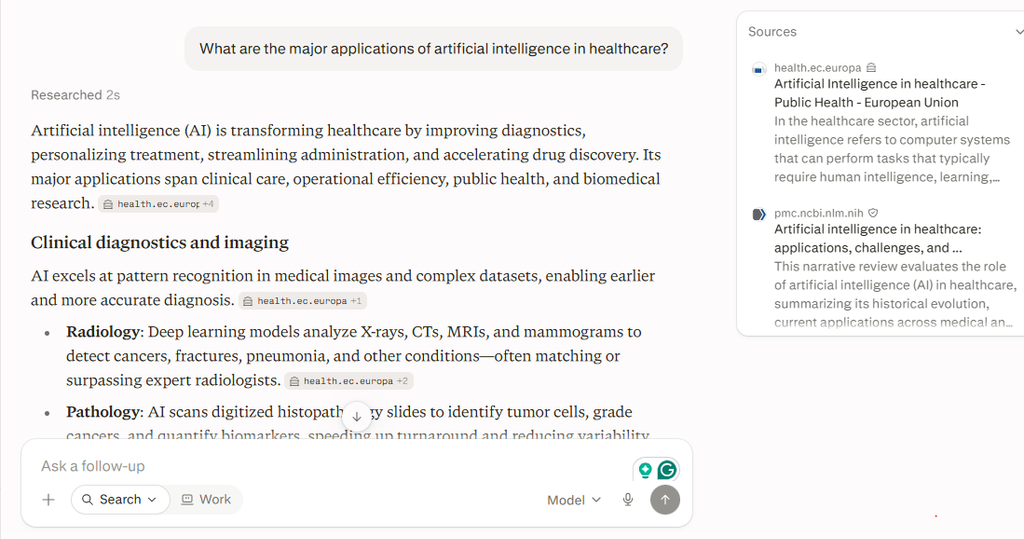
Perplexity is designed around answering questions while providing sources that users can follow.
For example:
What are the major applications of artificial intelligence in healthcare?
Instead of stopping at the generated answer, students should open the cited sources and read them directly to verify the facts.
Why source verification matters
AI systems can sometimes provide incorrect or outdated information. For academic work, don’t treat an AI answer as the final source. Use the AI answer as a starting point, then verify important claims through:
- Academic papers
- University resources
- Government websites
- Books
- Reputable publications
- Official documentation
6. Grammarly — AI Writing Assistant
Writing is an important part of student life, from essays and reports to emails and applications. Grammarly can help identify grammar, spelling, punctuation, clarity, and style problems.
Instead of asking an AI tool to write an essay from scratch, students can write their own draft and use a writing assistant to identify areas that need improvement.
For example:
Your draft:
Artificial intelligence are becoming more popular and it help student learn faster.
A writing assistant can identify grammatical problems and suggest a clearer version. The student can then understand the correction instead of blindly accepting it.
Best uses for students
- Grammar checking
- Sentence clarity
- Proofreading
- Writing style
- Conciseness
- Professional communication
7. QuillBot — Paraphrasing and Writing Support
QuillBot is known for paraphrasing and writing assistance. It can help students understand different ways to express an idea and improve the clarity of their writing.
However, paraphrasing tools should be used carefully. Simply taking someone else’s content and running it through a paraphrasing tool does not make it original academic work.
Students should understand the source material and write ideas in their own words while properly citing sources.
8. NotebookLM — Turn Your Study Material Into a Study Assistant
One particularly interesting use of AI for students is working with their own study material. Notebook-style AI tools can allow students to work with documents and ask questions about the provided material.
Imagine having:
- Lecture notes
- PDF textbooks
- Research papers
- Course documents
- Class notes
Instead of searching through every page manually, you can ask questions about the material.
For example:
What are the three main arguments discussed in this document?
Or:
Create 15 revision questions based only on these notes.
This can be useful when preparing for exams.
9. Wolfram Alpha — Mathematics and Technical Subjects
Students studying mathematics, physics, statistics, and other technical subjects can benefit from computational tools. Wolfram Alpha can help with mathematical calculations and exploring mathematical concepts.
However, there is an important difference between getting an answer and understanding how to reach the answer. Instead of simply asking:
What is the answer?
students should ask:
Show me the steps and explain why each step is necessary.
Then attempt a similar problem without assistance. That turns an AI or computational tool into a learning aid rather than an answer generator.
10. Photomath — Step-by-Step Math Help
Math can be challenging when a student doesn’t understand where a calculation went wrong. Tools such as Photomath can help students work through mathematical problems and understand the steps involved.
For example, a student struggling with an algebra problem can use the tool to examine the solution process. The best approach is:
Try → Check → Understand → Practice
Don’t simply copy the final answer. After seeing the solution, solve another similar problem without using the tool.
11. Quizlet — AI-Powered Flashcards and Practice
Flashcards are useful for memorizing definitions, vocabulary, formulas, and key concepts. AI features can make it easier to turn study material into practice questions or flashcards.
For example, students studying biology could create cards for:
- Cell structures
- Biological processes
- Scientific terminology
- Definitions
Instead of reading the same notes repeatedly, students can actively test their memory. This is known as active recall, and it is generally more useful for learning than simply rereading material.
12. Canva AI — Presentations and Visual Learning
Students often need to create presentations, posters, diagrams, and other visual projects. Canva’s AI-powered features can help with designs, visual content, and organizing presentations.
For example, a student preparing a presentation about renewable energy might start with:
Introduction → Problem → Types of renewable energy → Examples → Benefits → Challenges → Conclusion
AI can help generate design ideas, but students should still verify the information and create a presentation that reflects their own understanding.
How to use the best AI tools for students
Having access to dozens of AI tools doesn’t automatically make studying easier. The way you use them matters more than the number of tools you have. Here is a practical workflow.
Step 1: Learn the Topic First
Start with your own textbook, lecture, class notes, or teacher’s material. Try to understand the topic in your own way.
Step 2: Identify What You Don’t Understand
Write down specific questions.
For example:
- What does this term mean?
- Why does this process happen?
- How is this formula derived?
- What is the difference between these two concepts?
Step 3: Ask AI Specific Questions
Instead of:
Teach me everything about economics.
Try:
Explain opportunity cost using three everyday examples.
Specific questions usually produce more useful answers.
Step 4: Ask for Practice Questions
After learning a concept, test yourself with questions related to the topic.
For example:
Create 10 questions about opportunity cost. Ask one question at a time and don’t give me the answer until I respond.
Step 5: Check Your Mistakes
When you get something wrong, ask about the mistake:
Explain why my answer is incorrect and show me how to approach this type of question.
Step 6: Study Without AI
This step is extremely important for students. Close the AI tool and try to explain the concept yourself in simple terms. If you can’t explain it without AI, you probably need more practice.
Example: Using AI to Prepare for an Exam
Suppose you have an exam in computer science. Instead of asking AI to create your entire study material, use this workflow.
Day 1: Understand
Ask AI to explain difficult concepts from your notes or lectures.
Day 2: Practice
Generate practice questions with the AI tools.
Day 3: Test
Take a quiz without looking at your notes.
Day 4: Identify Weak Areas
Review the questions you answered incorrectly and the concepts you don’t understand properly.
Day 5: Final Revision
Create a revision checklist. This creates a learning loop of the topics:
Learn → Practice → Test → Identify weaknesses → Review → Test again
AI Study Prompts Students Can Try
Good prompts can make AI tools much more useful.
Concept explanation
Explain [topic] in simple language. Assume I am a beginner and give me three practical examples.
Exam preparation
Create a 20-question practice test about [topic]. Ask one question at a time and don’t show the answer until I respond.
Flashcards
Create 30 flashcards from these notes. Focus on important definitions, concepts, and examples.
Find weak areas
Based on my answers below, identify the concepts I need to study again and explain why.
Socratic learning
Don’t give me the answer immediately. Ask me questions that help me reason toward the answer.
Revision
Turn these notes into a one-page revision guide containing the most important concepts and formulas.
Benefits of AI Tools for Students
AI can provide several advantages when used correctly.
Personalized explanations
Students can ask for explanations at different levels of difficulty until they understand properly.
Instant feedback
AI can provide immediate responses when a teacher or tutor isn’t available or if teacher doesn’t make you understand properly.
More practice
Students can generate unlimited practice questions around a topic and at different levels, like easy, medium, and difficult.
Better organization
AI can transform large amounts of information into structured study materials.
Accessibility
Students can use AI to simplify complicated language or explain concepts in different ways.
Time savings
AI can reduce time spent on repetitive tasks such as organizing notes or creating flashcards.
Risks of Using AI for Education
AI isn’t perfect. Students should understand its limitations and act according to it.
AI can make mistakes
AI-generated information can sometimes be inaccurate or false. Always verify important facts through original sources.
Overdependence can hurt learning
If AI solves every problem for you, you may never develop the skills needed to solve problems independently.
Academic integrity matters
Schools and universities may have policies about AI-generated content. Students should understand their institution’s rules before using AI for assignments.
Privacy matters
Avoid uploading sensitive personal information, confidential school documents, passwords, or private information into AI tools without understanding how that information is handled.
AI can reduce critical thinking
If students accept every AI answer without questioning it or doing self-research, they may become less likely to analyze information themselves.
Should Students Use AI to Write Assignments?
AI can be useful during the writing process, but students should be careful about submitting AI-generated work as their own. A better approach is:
Research → Understand → Outline → Write → Review → Improve
AI can help with brainstorming, explanations, grammar, structure, and feedback. But your final work should reflect your own understanding and follow your school’s or university’s academic-integrity rules.
How Many AI Tools Does a Student Actually Need?
You don’t need ten different AI applications. For most students, a few tools are enough. A simple setup could include:
One general AI assistant
For explanations, brainstorming, practice questions, and study planning.
One research tool
For discovering information and sources.
One writing assistant
For grammar and proofreading.
One specialized tool
For mathematics, coding, flashcards, or another subject you study.
The goal isn’t to collect AI tools. The goal is to use the right tool for the right task.
Best AI Tools for Students: Quick Comparison
| Tool | Best For |
|---|---|
| ChatGPT | General study assistance |
| Google Gemini | Research and explanations |
| Claude | Long documents and writing |
| Microsoft Copilot | Productivity and documents |
| Perplexity | Research and source discovery |
| Grammarly | Grammar and writing |
| QuillBot | Paraphrasing and writing support |
| NotebookLM | Studying personal documents |
| Wolfram Alpha | Mathematics and computation |
| Photomath | Step-by-step math |
| Quizlet | Flashcards and practice |
| Canva | Presentations and visual projects |
The availability of features can vary by tool, plan, region, and time, so check the current product documentation before relying on a particular feature.
Final Thoughts: Study Smarter, Not Harder
The best AI tools for students aren’t necessarily the tools that can produce the most accurate answers. The most useful tools are the ones that help you learn more effectively with a better learning approach.
Use AI to explain difficult concepts, generate practice questions, organize your notes, review your writing, and identify gaps in your knowledge. But don’t let AI become a replacement for thinking. A strong student-AI workflow looks like this:
Learn → Ask → Practice → Test → Review → Repeat
The technology can make studying faster, but your curiosity, critical thinking, and willingness to practice are still what make learning successful. AI should be your study assistant—not your decision-maker.
Conclusion
AI is becoming an increasingly useful part of modern education. From AI chatbots and research assistants to writing tools, mathematical applications, and smart flashcards, students now have more ways to personalize their learning.
The key is responsible use. Don’t ask AI to do all your work. Ask it to help you understand, practice, organize, and improve.
When used this way, AI can help students spend less time on repetitive tasks and more time actually learning.
Study smarter, not harder—but keep yourself in control of the learning process.
Stay Ahead with ControlOwl
Get the latest AI tools, software tips, tutorials, and technology insights delivered straight to your inbox.