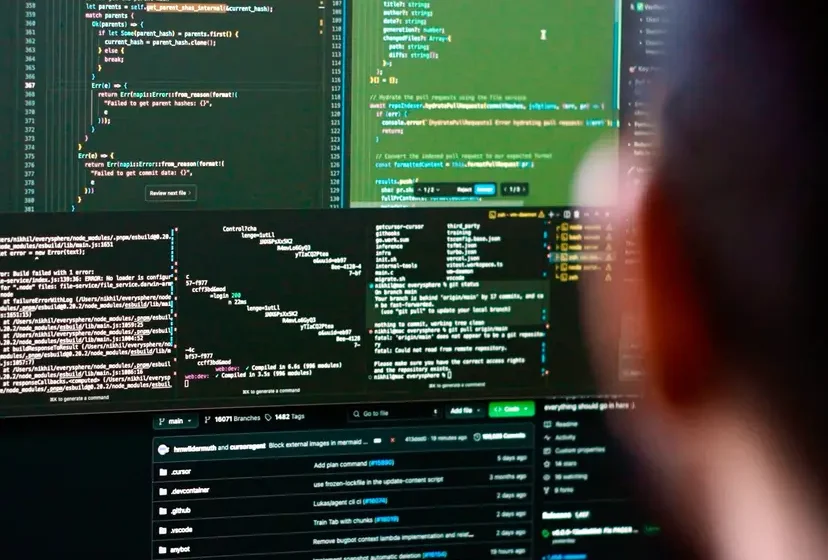

Artificial intelligence has changed the way developers write, understand, and maintain code. Tasks that once required hours to complete can now be completed faster with AI-powered coding assistants. One tool gaining attention among developers is Cursor AI.
Cursor AI is an AI-powered code editor designed to help developers write code, understand existing projects, find errors, and make changes using natural-language instructions. It combines a familiar coding environment with AI features that can assist throughout the software development process.
But is Cursor AI really the future of AI coding? Can beginners use it to build applications, and should experienced developers deplend on it for everyday programming?
In this guide, we will explore how Cursor AI works, its main features, practical use cases, advantages, limitations, and how beginners can get started.
What Is Cursor AI?
Cursor AI is an AI-powered code editor developed by Anysphere. It is built around the familiar workflow of modern code editors and adds AI assistance directly into the development environment.
Instead of switching between a browser, a chatbot, and a code editor, developers can use Cursor to ask questions about their code, generate functions, edit files, and work with larger codebases.
For example, imagine you are building a website and need a contact form. You could ask Cursor to create a form with name, email, and message fields, add basic validation, and explain how the code works.
Cursor can help generate the implementation, but you should still review the code yourself, test it, and check for security or accessibility problems.
The tool can be useful for:
- Beginners learning.
- Web developers building websites and applications.
- Software engineers maintaining existing projects.
- Freelancers who need to prototype ideas quickly.
- Teams working with large codebases.
Cursor AI does not remove the need for programming knowledge. Instead, it aims to make common development tasks easier and help developers focus more on solving complex problems.
How Does Cursor AI Work?
Cursor AI uses artificial intelligence models to interpret instructions and assist with code. Depending on the selected model, available features, and settings, it can generate code, answer technical questions, suggest edits, and help coordinate changes across project files.
A typical workflow looks like this:
1. Describe the task
Explain what you want to build or fix in plain language on the command prompt.
2. AI analyzes the context
Cursor uses relevant project context to help produce an appropriate solution.
3. Review the suggested code
Inspect proposed changes and accept, modify, or reject them.
4. Test the result
Run the application, check for errors, and verify that everything works.
The key advantage is that AI assistance becomes part of the coding workflow rather than a separate activity. However, the quality of the result depends on the instructions, project context, model, and developer’s review.
Key Features of Cursor AI
Cursor offers several AI-assisted coding features that can make software development more efficient and easy. The exact capabilities available depend on the current version, selected model, settings, and plan.
1. AI Code Completion
Cursor can predict the next lines of code and suggest edits while you work. This can help reduce repetitive typing and make it easier to follow an existing coding pattern.
For example, if you are creating several similar functions in a Python application, AI suggestions may help you complete them with fewer manual steps.
Best for: Routine programming, repetitive code, and faster editing.
2. Natural-Language Code Editing
One of Cursor’s useful features is the ability to describe a change in everyday language instead of manually rewriting every line.
For example, you could ask:
Update the navigation menu to work on mobile devices, add a collapsible menu, and preserve the existing desktop layout.
Cursor can examine relevant files and suggest or apply changes based on your instructions. Always review the changes before accepting them.
3. Agent Mode for Complex Tasks
Cursor’s Agent can explore a codebase, edit multiple files, execute terminal commands, and help resolve errors. This goes beyond traditional autocomplete, which primarily predicts the next piece of code.
Consider a developer building a task management application. An agent could help create a task form, connect it to existing application logic, add validation, and write tests.
However, a task involving multiple files may introduce unexpected changes. Developers should inspect the differences, run tests, and verify that existing functionality still works.
4. Understanding Existing Codebases
Understanding an unfamiliar project can be difficult, especially when it contains many files, functions, and dependencies.
Cursor can help explain code, identify where a function is used, and trace how different parts of a project relate to one another.
For example, a developer joining a project might ask:
Explain how user authentication works in this application. Identify the relevant files and describe how the login request reaches the database.
This can help developers understand an existing system before modifying it.
5. Debugging and Error Resolution
Debugging is often a time-consuming part of programming. Cursor can help analyze error messages, inspect relevant code, suggest fixes, and run checks when the necessary tools are available.
Suppose your website returns an error after submitting a form. You can provide the error message and ask Cursor to investigate the likely cause.
AI-generated fixes are not always correct, though. A change that removes an error may also hide the underlying problem. Test the application and verify the root cause instead of assuming the first suggestion is right.
6. Code Refactoring and Testing
Refactoring means improving the structure of code without changing its intended behavior. Cursor can assist with renaming functions, reducing duplication, reorganizing files, and generating tests.
For instance, if several pages repeat the same validation logic, you could ask Cursor to identify the duplication and propose a shared function.
Use version control such as Git before making large changes. This provides a way to review modifications and restore earlier code if necessary.
How to Use Cursor AI: A Beginner’s Guide
If you are new to AI-assisted programming, start with a small project instead of asking an AI agent to build a complete application immediately.
- Download Cursor AI. Visit the official Cursor website and download the version for your operating system.
- Open a project folder. Start with a simple HTML, CSS, and JavaScript project or an existing application that you understand.
- Describe one clear task. Ask Cursor to explain a file, add a small feature, or identify a bug.
- Review the proposed changes. Read the code and check which files have been modified before accepting changes.
- Run and test the project. Open the application, check the browser console, and verify that the feature behaves as expected.
- Improve the result gradually. Give follow-up instructions to fix specific problems rather than requesting many unrelated features at once.
Example: Build a Simple Website With Cursor AI
Imagine you want to create a basic personal portfolio website. You can start with this prompt:
Example Cursor AI prompt
Create a responsive personal portfolio website using HTML, CSS, and JavaScript. Include a homepage, an About section, a Projects section, and a Contact section. Use semantic HTML, accessible navigation, mobile-friendly styling, and clear comments. Keep the project simple enough for a beginner to understand. Explain how to run it locally.
After Cursor generates the project, check the layout on mobile and desktop, test navigation links, and inspect the code. A contact form also needs appropriate backend processing or a form service if it is expected to send real messages.
This approach makes AI coding a learning opportunity rather than simply accepting code you do not understand.
Practical Uses of Cursor AI
Cursor is not limited to building websites from scratch. It can also assist with everyday development and maintenance tasks.
| Use case | Example task | Potential benefit |
|---|---|---|
| Web development | Create a responsive navigation menu | Faster implementation |
| App development | Add form validation to an existing application | Less repetitive work |
| Debugging | Investigate a Python traceback | Faster initial diagnosis |
| Learning programming | Explain a JavaScript function | Easier code comprehension |
| Testing | Generate unit tests for a utility function | Broader test coverage |
| Maintenance | Identify duplicated code | Easier refactoring |
| Documentation | Explain API endpoints and functions | Clearer project documentation |
The biggest benefit depends on the developer and the task. A small, well-defined change may be easy to verify, while a complex database migration requires more planning, testing, and review.
Cursor AI vs Traditional Coding
Traditional coding requires developers to write and modify code. An AI-assisted editor introduces another way to work: developers can describe the intended outcome, review suggested implementations, and focus more attention on design decisions and verification.
| Aspect | Traditional coding | AI-assisted coding with Cursor |
|---|---|---|
| Writing code | Mostly manual | Manual coding plus AI suggestions |
| Understanding a project | Read and trace files yourself | Ask AI to explain relevant code |
| Debugging | Investigate errors manually | Get AI-assisted diagnosis and fixes |
| Large changes | Plan and edit files yourself | Agent can help coordinate multi-file edits |
| Quality control | Developer reviews and tests | Developer must still review and test |
| Learning | Documentation and practice | Documentation, practice, and AI explanations |
Neither approach guarantees better results. Experienced developers may benefit from faster iteration, while beginners may find it easier to get started but need to learn how to recognize incorrect or insecure code.
Is Cursor AI Free?
Cursor has offered a free entry-level plan with limited AI usage, alongside paid options with higher usage allowances and additional capabilities. Its plan names, pricing, included models, and usage limits can change.
Before subscribing, review the current details on the official Cursor pricing page.
Consider these questions before choosing a plan:
- How often will you use AI for coding?
- Do you need help with small edits or complex agent tasks?
- Will your projects consume substantial model usage?
- Does the plan include the models and features you need?
- Can the expected time savings justify the subscription cost?
Beginners should generally start with the available free option, learn the workflow, and upgrade only if they regularly encounter usage limits or need paid features.
Advantages of Cursor AI
Cursor’s main advantages come from integrating AI assistance directly into the development process.
- Faster development: AI suggestions can reduce repetitive coding and help produce initial implementations.
- Better code exploration: Developers can ask questions about existing files and application logic.
- Convenient editing: Natural-language instructions can simplify targeted changes.
- Support for learning: Beginners can request explanations and examples while studying code.
- Help with testing: AI can draft test cases and assist with investigating failures.
- Support for complex tasks: Agent-based workflows can coordinate work across multiple files.
These are potential benefits rather than guaranteed productivity improvements. Actual results depend on the task, project complexity, and how much review the generated code requires.
Limitations and Risks of Cursor AI
Although Cursor AI can be useful, it is important to understand its limitations before using it for professional software development.
1. AI Can Generate Incorrect Code
Generated code may contain bugs, outdated APIs, missing edge cases, or incorrect assumptions. Always test the result and consult authoritative documentation when necessary.
2. Security Vulnerabilities
AI-generated applications can introduce weak authentication, unsafe input handling, exposed secrets, or insecure database queries.
Never assume that generated code is secure simply because it runs successfully. Review authentication, authorization, data validation, dependencies, and error handling before deploying an application.
3. Privacy and Sensitive Information
Your code may contain API keys, credentials, customer records, or confidential business logic. Understand the editor’s current privacy and data-handling settings before using it with sensitive projects.
Avoid placing passwords, private keys, customer information, or production secrets in prompts. For company projects, follow your organization’s security policies and approved AI-tool settings.
4. Overdependence on AI
Beginners who accept every suggestion without understanding it may struggle to debug their own applications later.
Use Cursor to learn concepts, ask for explanations, and compare alternative implementations. Continue practicing programming fundamentals.
5. Costs and Usage Limits
Advanced AI workflows can consume more resources than simple code completion. Free and paid plans may have different usage limits, and model selection can affect costs.
Check the current pricing and usage rules before relying on Cursor for a large project.
Is Cursor AI the Future of AI Coding?
Cursor AI represents a broader shift toward AI-assisted software development. Instead of using AI only to complete a line of code, developers can use coding agents to investigate repositories, plan changes, edit files, execute commands, and help verify their work.
This changes the developer’s role in several ways.
From writing every line to directing the work: Developers can explain requirements and review proposed implementations.
From manual searching to contextual assistance: AI can help locate relevant functions and understand unfamiliar code.
From generating code to verifying results: Testing, debugging, security reviews, and architectural decisions remain essential.
From isolated edits to broader workflows: Agent-based tools can assist with changes that span several files or development tasks.
However, the future is unlikely to be about AI replacing every programmer. Software development involves understanding users, choosing suitable architectures, managing risks, and making trade-offs that cannot be reduced to code generation alone.
The developers who benefit most may be those who combine AI tools with strong technical fundamentals, careful judgment, and effective testing practices.

Final Verdict: Should You Use Cursor AI?
Cursor AI is worth exploring if you want an AI-assisted environment for writing, understanding, debugging, and maintaining code. It can be useful for beginners learning programming, freelancers building websites, and experienced developers working on larger projects.
Its strongest advantage is the ability to work with project context and assist with changes beyond simple autocomplete. Its main limitation is that generated code still requires human judgment, testing, and security review.
If you are just starting out, try a small project, compare the AI’s output with what you learn from documentation, and gradually introduce more complex tasks.
The future of AI coding is not simply about writing code faster. It is about using AI responsibly to solve real problems while keeping people accountable for the software they build.
Stay Ahead with ControlOwl
Get the latest AI tools, software tips, tutorials, and technology insights delivered straight to your inbox.