
The Samsung Galaxy S25 series represents Samsung’s next step in mobile innovation, and with the introduction of One UI 8.5, the experience goes far beyond hardware upgrades. Built on Android 16, One UI 8.5 is not just an incremental update—it’s a refined ecosystem-driven platform focused on AI, personalization, security, and seamless connectivity.
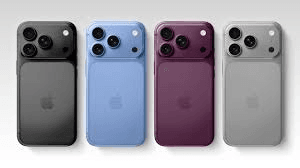
In this blog, we’ll explore everything you need to know about Galaxy S25 and One UI 8.5, including features, improvements, user experience, and why it matters in 2026. IT is also getting hype same as Apple iPhone 18 Pro.

Galaxy S25 Meets One UI 8.5: A Perfect Combination
Samsung has always focused on powerful hardware with the best software, and the Galaxy S25 lineup continues this tradition in its ecosystem. One UI 8.5 is designed specifically to unlock the full potential of the S25 series, including enhanced performance, smarter AI tools, and deeper integration across devices.
Unlike previous updates, One UI 8.5 focuses heavily on making everyday interactions faster, smarter, and more intuitive for the customer. From editing photos to sharing files across devices, everything feels more fluid and connected.
Key Features of One UI 8.5 on Galaxy S25
1. Enhanced Galaxy AI Capabilities in Galaxy S25
One of the biggest highlights of One UI 8.5 is the improved Galaxy AI experience. Samsung is doubling down on artificial intelligence to simplify tasks and boost creativity by using the advancement of AI.
- Advanced Photo Assist allows continuous editing without saving each version
- AI-powered image manipulation and enhancements
- Smart suggestions for sharing content
These features make content creation smoother and more dynamic. According to Samsung, users can now create and edit “without interruption,” improving productivity significantly in their daily use.
2. Smarter Quick Share and Connectivity
Samsung is pushing its ecosystem integration further with One UI 8.5.
- Quick Share suggests frequently contacted users automatically without lots of instructions
- Audio Broadcast (Auracast) allows sharing sound with multiple devices
- Storage Share enables access to files across Galaxy devices
This creates a seamless experience across phones, tablets, PCs, and even TVs.
For Galaxy S25 users, this means your phone becomes a part of your digital life.
3. Redesigned User Interface and Visual Upgrades
One UI 8.5 introduces subtle yet impactful design changes:
- New 3D-style app icons
- Fully customizable Quick Settings panel
- Modern floating tab bar UI
- A dynamic lock screen clock that adapts to the wallpaper
These updates give the interface a cleaner and more premium look while improving usability.
4. Improved Security and Privacy
Security is a major focus in One UI 8.5. Samsung has added new protections to safeguard user data and safety:
- Theft Protection features
- Failed Authentication Lock after repeated unlock attempts
- Enhanced identity verification for sensitive settings
These upgrades ensure better protection against unauthorized access and data theft.
5. Smarter Modes and Routines
Automation gets a big upgrade in One UI 8.5.
- Users can now set how long a routine stays active on the device
- Options include “run once,” “until a date,” or “forever.”
- Better control for temporary scenarios like travel or meetings
This solves a long-standing issue where routines would run indefinitely unless manually turned off.
6. Cross-Device Ecosystem Expansion
Samsung continues to build a unified ecosystem experience:
- Access files from other Galaxy devices via My Files
- Seamless switching between devices
- Shared networks and media
This makes the Galaxy S25 more than just a smartphone—it becomes part of a larger connected environment.
Performance and Stability Improvements
While One UI 8.5 introduces new features, it also focuses heavily on performance:
- Faster animations and smoother transitions
- Improved app switching
- Optimized battery usage (in many cases)
- Regular beta updates fixing bugs and improving stability
Recent beta updates also include important security patches addressing dozens of vulnerabilities.
Real User Experience: What People Are Saying
Early users testing One UI 8.5 on Galaxy S25 devices have shared mixed but mostly positive feedback.
From community discussions:
“It definitely feels smoother… the UI feels more refined.”
Users appreciate the polish and fluidity, though some note that it’s more of a refinement update rather than a major overhaul. Minor bugs are still present, which is expected in beta versions.
One UI 8.5 vs One UI 8: What’s New?
Compared to One UI 8, version 8.5 focuses on refinement rather than reinvention.
| Feature Area | One UI 8 | One UI 8.5 |
|---|---|---|
| AI Features | Basic AI tools | Advanced Galaxy AI |
| UI Design | Minimal changes | 3D icons, new layouts |
| Quick Settings | Limited customization | Fully customizable |
| Connectivity | Standard sharing | Smart sharing + cross-device |
| Security | Strong | Enhanced with new protections |
Overall, One UI 8.5 enhances almost every aspect of the user experience.
Why Galaxy S25 with One UI 8.5 Matters
The combination of Galaxy S25 hardware and One UI 8.5 software delivers:
- Smarter user experience through AI
- Better productivity for both personal and production tasks
- Stronger ecosystem integration within Android
- Enhanced security and privacy
- Modern and customizable UI design
Samsung is clearly positioning itself as a leader in AI-powered smartphones, competing directly with Apple and Google.
Availability and Rollout
One UI 8.5 first launched in beta for the Galaxy S25 series, including:
- Galaxy S25
- Galaxy S25+
- Samsung Galaxy S25 Ultra
- Samsung Galaxy S24 Ultra
The beta program is available in select regions and continues to expand to more devices and markets.
The stable version is expected to roll out globally after testing is complete.
Final Thoughts
The Galaxy S25, paired with One UI 8.5, represents a mature evolution of Samsung’s smartphone experience. Rather than introducing radical changes, Samsung has focused on refining what already works—making it smarter, faster, and more connected, focusing on previous errors
If you’re a Galaxy user, One UI 8.5 is a meaningful upgrade that enhances daily usability. And if you’re considering upgrading to the Galaxy S25, this software experience is one of its strongest selling points.
In 2026, smartphones are no longer just devices—they are intelligent assistants. With One UI 8.5, Samsung is clearly shaping that future.